Unlocking Creative Potential: A Comprehensive Guide to Digital Brush Strokes Sets and Hand-Painted Textures
In the rapidly evolving landscape of digital design, the line between traditional artistry and modern technology continues to blur. For designers, illustrators, and hobbyists alike, achieving an authentic, organic look in a digital workspace can often feel like a challenge. This is where a high-quality Brush Strokes Set becomes an invaluable asset. By integrating hand-painted brushes into your workflow, you can infuse your projects with texture, depth, and human touch that standard digital tools often lack.
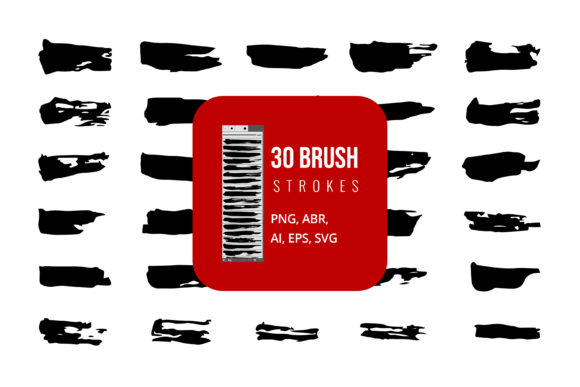
Whether you are creating a logo for a boutique coffee shop, designing a wedding invitation, or adding artistic flair to a social media post, understanding how to utilize these resources effectively is key. This guide explores the purpose, significance, and practical application of digital brush assets, ensuring you can leverage files in formats like AI, EPS, SVG, JPG, PNG, and ABR across various software platforms including Adobe Illustrator, Photoshop, and even Microsoft Office.
The Significance of Hand-Painted Textures in Digital Design
Digital design is often criticized for appearing too "clean" or sterile. Vector lines are perfect, and colors are uniform. While precision is valuable, it can sometimes lack soul. Hand-painted brushes introduce imperfection, variation, and tactile quality into your work. These elements mimic the natural behavior of real-world media such as watercolor, oil paint, ink, and charcoal.
The primary purpose of a Brush Strokes Set is to bridge this gap. It allows creators to maintain the efficiency of digital editing while capturing the aesthetic warmth of traditional media. For businesses, this means branding materials that feel more approachable and artisanal. For educators and students, it provides a way to explore artistic concepts without the mess and cost of physical supplies. In modern creativity, these assets are not just shortcuts; they are tools for enhancing visual communication.
Understanding File Formats: AI, EPS, SVG, and More
One of the most common sources of confusion for beginners is navigating the myriad of file formats included in a comprehensive brush set. To use these tools effectively, you must understand what each format offers and which software supports it.
- AI (Adobe Illustrator): This is the native file format for Adobe Illustrator. It preserves layers, editability, and vector data. If you are working primarily in Illustrator, this is your go-to format for maximum flexibility.
- EPS (Encapsulated PostScript): A universal vector format that is compatible with almost all graphic design software, including CorelDRAW and older versions of Illustrator. It is ideal for sharing designs with clients who may not use Adobe products.
- SVG (Scalable Vector Graphics): Perfect for web design. SVGs are lightweight, scalable without loss of quality, and can be animated using CSS. They are essential for responsive websites and app interfaces.
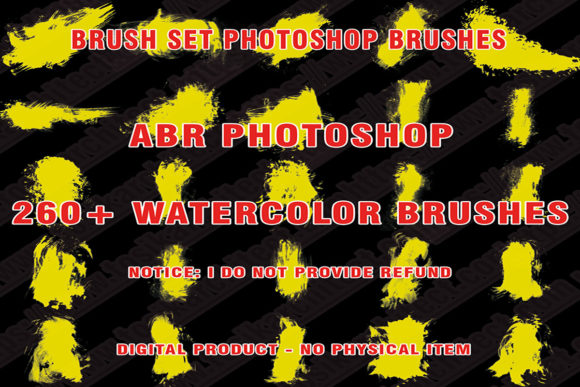
- ABR (Adobe Brush): Specifically designed for Adobe Photoshop and Fresco. These files install directly into your brush library, allowing you to paint with dynamic, textured strokes that react to pressure and tilt if you use a graphics tablet.
- JPG and PNG: These are raster image formats. JPGs are smaller but have a white background, while PNGs support transparency. They are ready-to-use elements that can be dragged and dropped into any project, from PowerPoint presentations to Word documents.
By having access to all these formats in a single Brush Strokes Set, you ensure compatibility across your entire tech stack, from professional design suites to everyday office applications.
Practical Applications Across Different Software
The versatility of modern brush assets means they are not limited to professional graphic designers. Let’s explore how you can integrate these hand-painted elements into various workflows.
Adobe Illustrator: Precision Meets Texture
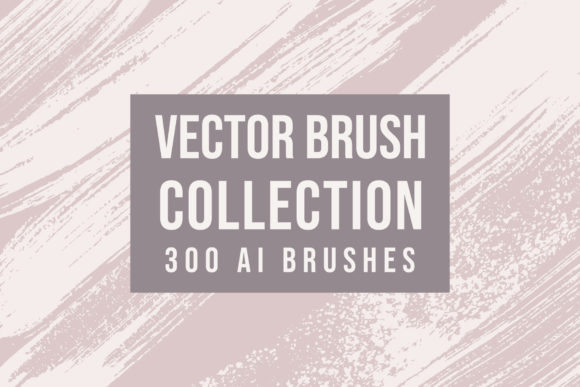
In Adobe Illustrator, vector-based brush strokes are incredibly powerful. You can import AI or EPS files to create logos, packaging designs, or illustrations that retain their crispness at any size. Because these are vectors, you can change the color of a brush stroke with a single click, allowing for rapid experimentation with brand palettes. For example, a rough ink splatter can be recolored to match a corporate identity instantly, something that would require rescanning if done traditionally.
Adobe Photoshop: Dynamic Painting
For raster-based work, the ABR brush files are indispensable. Installing these into Photoshop allows you to paint directly onto your canvas. The beauty of ABR brushes is their dynamics; they can simulate the buildup of paint, the dryness of a brush, or the spread of watercolor. This is particularly useful for digital painters, photo manipulators, and concept artists who need to add organic details to their compositions quickly.
Everyday Office Tools: Elevating Presentations and Documents
You do not need expensive software to benefit from these assets. JPG and PNG files from a brush set can be easily inserted into Microsoft Word and PowerPoint. Imagine creating a business proposal with subtle watercolor borders or a presentation slide with hand-drawn arrows and highlights. These small touches make your documents stand out and appear more personalized and engaging. Since PNGs support transparency, they layer seamlessly over text and images without unsightly white boxes.
Common Misunderstandings About Digital Brushes
Despite their popularity, several myths persist regarding digital brush assets. Clarifying these can help you use them more effectively.
- "They look generic." Many users assume that pre-made brushes result in cookie-cutter designs. However, the key lies in customization. By adjusting opacity, blending modes, and color, or by combining multiple brush strokes, you can create unique compositions that never look repeated.
- "Vectors lose their texture when scaled." This is a misconception about SVG and EPS files. High-quality vector brush sets are crafted with complex paths that preserve the intricate details of the hand-painted original, regardless of size.
- "Only professionals can use them." On the contrary, these tools are designed to lower the barrier to entry. You do not need years of painting training to place a beautiful watercolor splash into your design. The asset does the heavy lifting, allowing you to focus on composition and layout.
How to Choose the Right Brush Set for Your Needs
With countless options available, selecting the right Hand Paint Brushes package requires considering your specific goals. Ask yourself the following questions:
- What is my primary software? If you live in Illustrator, prioritize sets with robust AI and EPS files. If you are a Photoshop user, look for high-resolution ABR brushes with varied dynamics.
- What style am I aiming for? Do you need the sharp, jagged edges of dry ink, or the soft, bleeding edges of wet watercolor? Different sets specialize in different media.
- Do I need web compatibility? If you are a web designer, ensure the set includes optimized SVGs that load quickly and scale well on mobile devices.
Integrating Brush Strokes into Your Creative Workflow
To get the most out of your purchase, adopt a workflow that encourages experimentation. Start by building a library of your favorite strokes. In Illustrator, save frequently used elements as symbols for quick access. In Photoshop, organize your ABR brushes into folders by type (e.g., "Inks," "Watercolors," "Textures").
Furthermore, consider the legal and ethical aspects of using these assets. Most premium brush sets come with commercial licenses, allowing you to use them in client work. Always read the license agreement to ensure compliance, especially if you plan to sell products featuring these designs.
Conclusion
A comprehensive Brush Strokes Set is more than just a collection of digital files; it is a gateway to enhanced creativity. By providing assets in versatile formats like AI, EPS, SVG, JPG, PNG, and ABR, these tools empower users to work across Adobe Illustrator, Photoshop, Microsoft Word, and PowerPoint with ease. Whether you are a seasoned designer looking to add organic texture to your vectors or a beginner aiming to make your presentations pop, hand-painted digital brushes offer a perfect blend of tradition and technology.
Embrace the imperfection and warmth that these tools bring to your work. As you experiment with different styles and formats, you will discover new ways to express your vision, making your digital creations feel distinctly human in an increasingly automated world.