Mastering the Hand-Carved Aesthetic with Lino Cut Illustrator Brushes
Digital design often suffers from a specific kind of sterility. We spend hours perfecting vector paths, smoothing out anchor points, and ensuring geometric precision, only to realize the final piece feels cold or disconnected. This is where the charm of traditional printmaking meets modern efficiency. Lino Cut Illustrator Brushes offer a bridge between the tactile, imperfect beauty of hand-carved linoleum blocks and the scalable, editable nature of vector graphics. For designers, illustrators, and hobbyists alike, this toolset isn't just about adding texture; it is about injecting soul and organic rhythm into digital workflows.
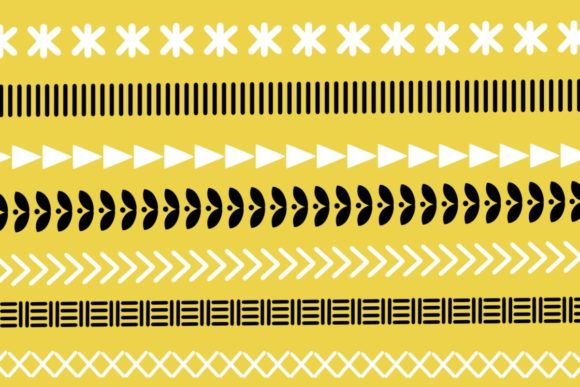
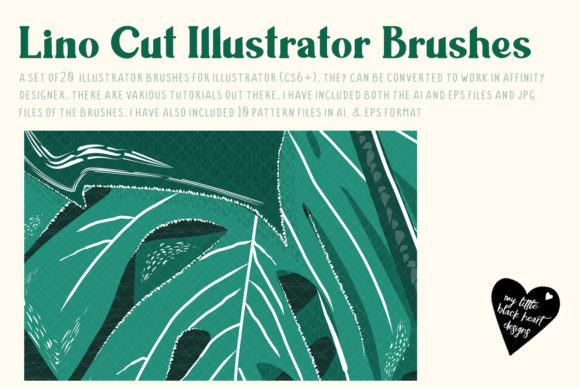
The core appeal of these brushes lies in their ability to mimic the physical resistance of a gouge cutting through rubber or linoleum. When you use standard vector tools, lines are uniform. When you use lino cut brushes, every stroke carries the weight of a handmade artifact. The edges are slightly rough, the widths vary naturally, and the terminals of the lines taper or blunt in ways that feel authentically human. This collection includes a comprehensive set of 20 distinct lino cut Illustrator brushes paired with 20 coordinating patterns, providing a robust library for creating cohesive visual identities that stand out in a sea of polished digital art.
Real-World Applications for Designers and Illustrators
Understanding the technical specs is one thing, but knowing where to apply them is another. The versatility of Lino Cut Illustrator Brushes makes them suitable for a wide range of industries and creative projects. Here is how different professionals are leveraging this aesthetic in practical scenarios.
Branding and Packaging Design
In the world of artisanal products, authenticity is currency. Consider a local coffee roaster, a small-batch soap maker, or an organic skincare brand. These businesses often struggle to convey their "handcrafted" value proposition through sleek, corporate-style logos. By utilizing lino cut brushes for logo marks, iconography, or packaging illustrations, designers can instantly communicate warmth, tradition, and care. The rough-hewn lines suggest that a human being was involved in the creation process, which builds trust with consumers looking for alternatives to mass-produced goods. The included patterns can be used as background textures on labels, adding depth without overwhelming the primary branding elements.
Editorial and Book Illustration
Editors and art directors frequently seek illustrations that break the monotony of stock photography or flat digital vectors. Lino cut styles evoke a sense of nostalgia and literary weight, making them ideal for book covers, chapter headers, and editorial spreads. Whether it’s a mystery novel requiring shadowy, high-contrast imagery or a lifestyle magazine feature on slow living, these brushes allow illustrators to create complex scenes quickly. Instead of spending days carving actual blocks and scanning them at high resolutions, artists can sketch directly in Illustrator, achieving a similar look in a fraction of the time. The ability to edit vector paths means that last-minute client changes—such as resizing an element or adjusting a composition—are effortless, a luxury not afforded by traditional printmaking.
Textile and Surface Pattern Design
The inclusion of 20 seamless patterns alongside the brushes is a significant advantage for textile designers. Lino cut aesthetics have a long history in fabric design, particularly in mid-century modern and folk art styles. Designers can use the brushes to create unique motifs—floral elements, geometric shapes, or abstract forms—and then combine them with the provided patterns to create repeat designs for fabrics, wallpapers, or stationery. Because the files are provided in AI CS6, EPS, SVG, and PDF formats, they are compatible with various software ecosystems, ensuring that the patterns can be integrated into professional textile printing workflows without loss of quality.
Technical Considerations and Workflow Integration
Before diving into your first project, it is important to understand how these tools integrate into your existing workflow. The package provides libraries that need to be loaded into Adobe Illustrator. This is a straightforward process, but it requires a basic understanding of how Illustrator manages brush libraries. Once loaded, the brushes appear in your Brush panel, ready to be applied to any path. The preview file included in the download is an essential resource; it serves as a visual catalog, allowing you to see exactly how each brush behaves and how the patterns look when tiled. Referencing this preview saves time during the creative process, as you won’t need to test every brush blindly to find the right texture.
One common consideration is the balance between randomness and control. While the brushes simulate hand-carved imperfections, they are still digital tools. To get the most realistic results, avoid using them on perfectly straight, geometric lines unless you are aiming for a specific contrast. Instead, use them on freehand paths drawn with a tablet or mouse, allowing the natural jitter of your hand to interact with the brush profile. This synergy between user input and brush dynamics creates the most convincing lino cut effects. Additionally, because the files are vectors, you can scale them infinitely without pixelation. This is a massive strength compared to raster-based lino cut scans, which can become blurry or jagged when enlarged for large-format prints like posters or banners.
Who Benefits Most from This Toolset?
The audience for Lino Cut Illustrator Brushes is diverse, but certain groups will find immediate value in this resource.
- Freelance Graphic Designers: Those who work with clients in the food, beverage, or wellness sectors will find these brushes indispensable for creating bespoke, artisanal visuals that justify premium pricing.
- Digital Illustrators: Artists who want to expand their stylistic repertoire without learning the physically demanding and messy process of actual linocut printing. It allows for rapid experimentation with style.
- Etsy Sellers and Small Business Owners: Entrepreneurs who design their own marketing materials, social media graphics, or product mockups can use these tools to maintain a consistent, hand-made brand aesthetic across all touchpoints.
- Educators and Students: For those teaching or learning about printmaking history, these brushes offer a digital analogue that helps visualize the principles of relief printing, such as positive and negative space, without the need for a print shop.
Navigating Limitations and Best Practices
While powerful, these brushes are not a magic bullet. The primary limitation is that they simulate a specific artistic style. If your project requires a ultra-modern, minimalist, or corporate tech look, lino cut textures may clash with the intended message. It is crucial to match the tool to the tone of the project. Furthermore, overusing texture can lead to visual clutter. The best designs often use these brushes sparingly, perhaps for a key focal point or a subtle background element, rather than applying them to every element on the page.
Another consideration is color. Traditional lino cuts are often monochromatic, relying on high contrast between black ink and white paper. While you can color these vector brushes any way you like, sticking to limited color palettes or single-color applications often yields the most authentic results. Experimenting with overlay modes and transparency can also help integrate the textured strokes more naturally with other design elements, softening the digital edge.
Unlocking Full Potential with Tutorials
For those who want to move beyond basic application, the availability of a tutorial is a significant bonus. Becoming a fan of the creator unlocks this educational resource, which likely covers advanced techniques such as combining multiple brushes for layered effects, customizing brush settings for unique variations, and integrating the patterns with the brush strokes for seamless compositions. Tutorials are invaluable for understanding the nuances of pressure sensitivity (if using a tablet) and how to manipulate anchor points to enhance the carved look. This additional support ensures that users are not just buying a product, but investing in a skill set that can elevate their overall design capability.
In conclusion, Lino Cut Illustrator Brushes represent a thoughtful fusion of tradition and technology. They provide a practical solution for designers seeking to add warmth, texture, and humanity to their digital work. Whether you are designing a label for a jar of honey, illustrating a children's book, or creating a pattern for a summer dress, these tools offer the flexibility of vectors with the soul of handcraft. By understanding their strengths, limitations, and ideal use cases, you can effectively incorporate this timeless aesthetic into your modern creative practice.