300 Vector Brushes Collection: Elevate Your Digital Art with Hand-Drawn Textures
In the rapidly evolving world of digital design, there is a persistent tension between the precision of vector graphics and the organic warmth of traditional media. Designers often find themselves longing for the tactile feel of charcoal on rough paper or the unpredictable flow of ink, yet they require the scalability and editability that only vector formats can provide. This is where the 300 Vector Brushes Collection emerges as a transformative resource. It bridges the gap between analog authenticity and digital efficiency, offering a comprehensive toolkit for creatives who refuse to compromise on quality or workflow speed.
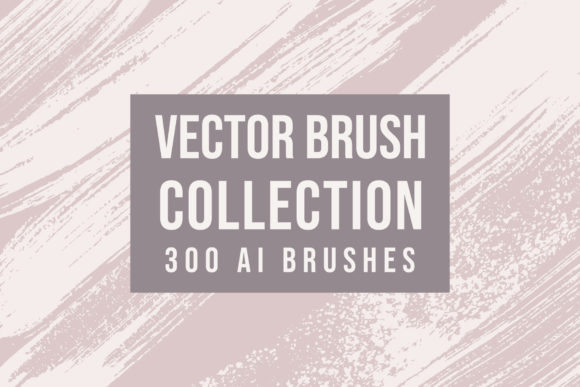
This collection is not merely a set of pre-made shapes; it is a curated library of 300 distinct vector brushes, each meticulously crafted to replicate detailed and realistic textures. Every stroke within this archive was drawn by hand, utilizing a variety of physical materials, traditional brushes, and diverse paper textures. The result is a digital asset library that retains the imperfections and character of hand-made art while remaining fully editable and easy to integrate into modern design workflows. For professionals seeking to add depth, personality, and a human touch to their projects, this collection offers an immediate and powerful solution.
The Challenge of Sterile Digital Design
One of the most common frustrations for graphic designers, illustrators, and branding experts is the "sterile" look that often plagues vector artwork. While Adobe Illustrator provides robust tools for creating clean lines and geometric perfection, achieving a natural, hand-crafted aesthetic can be time-consuming and technically demanding. Manually creating textured brushes that scale without losing fidelity requires a deep understanding of vector paths, opacity masks, and brush dynamics. Many designers spend hours trying to simulate the look of dry brush strokes, watercolor bleeds, or pencil sketches, only to end up with results that feel repetitive or artificial.
Furthermore, consistency is a significant hurdle. When working on large projects, such as packaging designs, editorial illustrations, or brand identity systems, maintaining a cohesive textural language across multiple assets is difficult. Without a standardized library, designers may inadvertently mix incompatible textures, leading to a disjointed visual experience. The need for a reliable, high-quality resource that simplifies this process is evident. The 300 Vector Brushes Collection addresses these pain points by providing a unified set of tools that ensure visual harmony while drastically reducing production time.
How the Collection Enhances Creative Workflow
The primary value of the 300 Vector Brushes Collection lies in its ability to streamline the creative process without sacrificing artistic integrity. By incorporating these brushes into your workflow, you can instantly apply complex, realistic textures to any vector path. Whether you are outlining a logo, creating background elements for a website, or illustrating a children’s book, these brushes allow you to achieve a hand-drawn look with just a few clicks.
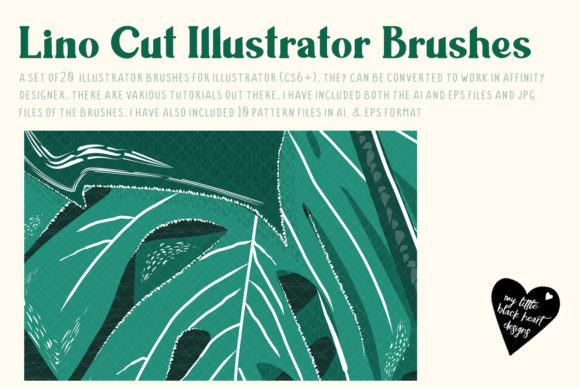
The collection includes three separate Adobe Illustrator (.ai) brush libraries. This organization allows users to categorize brushes based on style or texture type, making it easier to locate the perfect stroke for a specific task. Installation is straightforward, requiring only Adobe Illustrator, which ensures that the barrier to entry is low for most professional designers. Once installed, the brushes behave like native tools within the software, allowing for real-time adjustments to size, angle, and roundness. This level of control means that you can adapt a single brush to create subtle variations, preventing your artwork from looking repetitive or stamped.
In addition to the brush libraries, the package includes an EPS10 file containing all the strokes in vector format. This is a crucial feature for designers who may need to manipulate individual strokes as standalone objects rather than applying them as dynamic brushes. The EPS10 format ensures compatibility with a wide range of vector editing software, although Adobe Illustrator is recommended for the best experience with the brush libraries. This flexibility allows for deeper customization, enabling users to deconstruct, recolor, or reshape individual elements to fit unique project requirements.
Practical Applications Across Industries
The versatility of the 300 Vector Brushes Collection makes it suitable for a wide array of design disciplines. Here are several practical scenarios where these tools can significantly impact the final outcome:
- Branding and Identity: Modern brands often seek to convey authenticity and approachability. Using textured vector brushes for logo marks or typography can soften a corporate image, making it feel more artisanal and trustworthy. For example, a coffee shop or a handmade jewelry brand can use these brushes to create packaging designs that reflect the care and craftsmanship of their products.
- Editorial and Publishing: Magazines, books, and online publications frequently require illustrations that complement textual content without overwhelming it. The realistic textures in this collection are ideal for creating subtle background patterns, dividers, and accent elements that add visual interest while maintaining readability. The hand-drawn quality adds a layer of sophistication that resonates with readers.
- Digital Marketing and Social Media: In the crowded landscape of social media, standing out requires unique visual assets. Designers can use these brushes to create eye-catching posters, infographics, and story templates. The ability to quickly apply textured strokes allows for rapid iteration, enabling marketing teams to produce high-quality content at speed.
- Product Design and Packaging: Texture plays a critical role in how consumers perceive product quality. By integrating these vector brushes into packaging mockups, designers can simulate the look of printed materials, such as embossed labels or hand-stamped details, providing clients with a more accurate representation of the final product.
Tailoring the Approach to Different Users
Different professionals will approach the 300 Vector Brushes Collection in ways that align with their specific goals. For instance, a freelance illustrator might focus on using the brushes to speed up the initial sketching phase, leveraging the realistic textures to explore composition ideas quickly. In contrast, a senior graphic designer at an agency might prioritize the editability and scalability of the vectors, using the EPS10 file to extract specific elements for use in large-format print campaigns.
Beginners in vector art will find the collection particularly helpful as a learning tool. By studying how the brushes are constructed and how they respond to different settings in Illustrator, novice designers can gain insights into the mechanics of digital brush creation. Experienced users, on the other hand, will appreciate the time-saving aspect, allowing them to bypass the tedious process of creating custom brushes from scratch and focus instead on higher-level creative decisions.
Implementation Tips and Considerations
To get the most out of the 300 Vector Brushes Collection, consider the following recommendations:
- Experiment with Opacity and Blending Modes: While the brushes are designed to look realistic out of the box, adjusting the opacity or changing the blending mode in Illustrator can create new effects. Try multiplying textured strokes over colored backgrounds to achieve a watercolor-like bleed.
- Layering for Depth: Do not rely on a single stroke. Layer multiple brushes with varying weights and textures to build up complexity. This technique mimics the way traditional media builds up pigment on paper, resulting in richer, more dynamic visuals.
- Color Customization: Since these are vector assets, you can easily recolor any stroke to match your brand palette. However, remember that texture often relies on contrast. Ensure that your chosen colors maintain enough difference in value to preserve the visibility of the texture details.
- Keep Files Organized: With 300 brushes available, it is easy to become overwhelmed. Take time to familiarize yourself with the three included libraries. Consider creating your own subsets or favorites list within Illustrator for the brushes you use most frequently.
It is important to note that you will need Adobe Illustrator to use the .ai brush libraries effectively. While the EPS10 file offers broader compatibility, the full interactive functionality of the brushes is best experienced within the Illustrator environment. Ensuring your software is up to date will help prevent any compatibility issues and ensure smooth performance.
Conclusion
The 300 Vector Brushes Collection represents a valuable investment for any designer looking to enhance their digital toolkit. By combining the authenticity of hand-drawn textures with the flexibility of vector graphics, it solves the common problem of sterile digital design. Whether you are creating brand identities, editorial illustrations, or marketing materials, this collection provides the resources needed to produce work that is both visually compelling and professionally polished. Embrace the power of realistic texture and elevate your creative output with tools that are as versatile as they are beautiful.