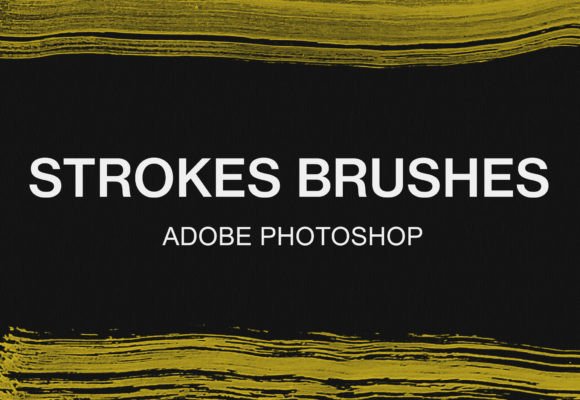
Mastering Digital Texture: A Guide to the Photoshop Stroke Paint Brush Pack
In the evolving landscape of digital art and graphic design, the boundary between traditional media and pixel-perfect precision continues to blur. Artists, designers, and hobbyists alike are constantly seeking tools that offer the organic unpredictability of physical painting while retaining the flexibility and non-destructive nature of digital workflows. This is where specialized toolsets, such as the Photoshop Stroke Paint Brush Pack, become indispensable assets in a creator’s arsenal. By integrating high-quality, textured strokes into your workflow, you can elevate flat digital compositions into rich, tactile visual experiences that resonate with viewers on a deeper, more sensory level.
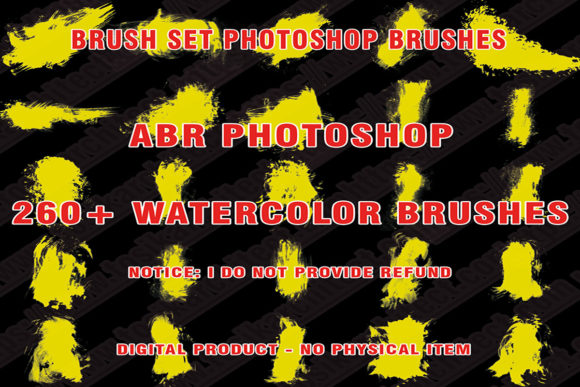
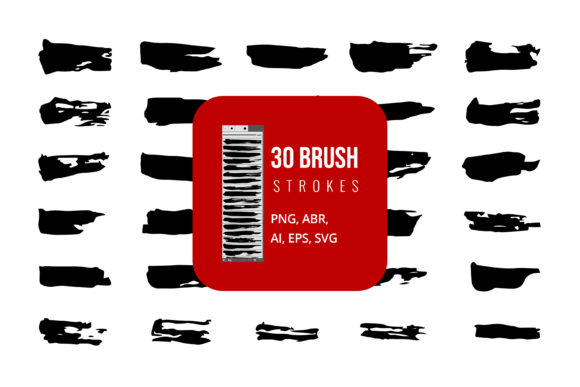
The demand for authentic texture in digital media has grown exponentially. Whether you are designing branding materials, illustrating concept art, or editing photographs, the addition of hand-painted elements can break the sterility often associated with computer-generated imagery. The 17 digital Photoshop stroke brushes watercolor pack represents a curated collection designed specifically to address this need. These tools are not merely simple stamps; they are complex algorithms that mimic the behavior of bristles interacting with paper, capturing the nuances of pressure, flow, and opacity that define traditional watercolor and stroke techniques.
The Artistic Value of Digital Stroke Textures
Understanding the utility of a brush pack requires looking beyond the technical specifications and focusing on the artistic outcome. Traditional watercolor and ink strokes are characterized by their fluidity and imperfection. When an artist applies paint to paper, the pigment spreads, pools, and dries in unique patterns. Replicating this digitally is challenging because standard digital brushes often produce uniform, predictable lines. The Photoshop Stroke Paint Brush Pack solves this problem by embedding these natural irregularities into the brush engine itself.
For professional illustrators, this means less time spent manually adding noise or texture overlays and more time focusing on composition and color theory. For educators and students, it provides an accessible way to study the mechanics of traditional media without the cost of supplies or the mess of cleanup. The versatility of these brushes allows them to be used across various disciplines. A graphic designer might use a subtle stroke to add depth to a typography layout, while a concept artist might use heavier, more saturated strokes to block out environments quickly. The key advantage lies in the immediacy of the result; with a single click or drag, the user achieves a level of complexity that would otherwise require layers of manual adjustment.
Enhancing Workflow Efficiency
Time is a critical resource in any creative project. One of the primary benefits of utilizing a pre-configured bundle like the 17 digital Photoshop stroke brushes watercolor pack is the significant reduction in setup time. Creating custom brushes that accurately mimic watercolor behavior involves adjusting spacing, scattering, shape dynamics, and transfer settings—a process that can be tedious and technically demanding. By using a professionally crafted pack, artists bypass this technical hurdle. The brushes are ready to use immediately, allowing creators to stay in a state of flow rather than getting bogged down in software configuration.
Furthermore, these brushes are optimized for performance. They are designed to be lightweight yet responsive, ensuring that they do not lag even when used on high-resolution canvases. This responsiveness is crucial for maintaining the natural feel of drawing. When the brush responds instantly to tablet pressure, the connection between the artist’s hand and the screen feels seamless, fostering a more intuitive creative process.
Broad Compatibility and Accessibility
A common misconception in the digital art community is that high-quality resources are locked behind expensive proprietary software. However, accessibility is a core component of modern creative tools. The Photoshop Stroke Paint Brush Pack is designed with inclusivity in mind, offering compatibility with both industry-standard Adobe Photoshop and the open-source alternative, GIMP. This dual compatibility ensures that students, hobbyists, and professionals regardless of their budget or software preference can access the same high-quality results.
For users of Adobe Photoshop, the integration is streamlined through the native ABR file format. This format preserves all the intricate settings of the brush, including texture mapping and dual-brush tips, ensuring that the watercolor effect is rendered exactly as intended. For GIMP users, the process is slightly different but equally straightforward, requiring the manual placement of files into the specific directory structure. This cross-platform support democratizes access to professional-grade textures, allowing a wider audience to experiment with mixed-media styles.
Practical Applications Across Industries
The utility of these stroke brushes extends far beyond fine art illustration. In the world of web design, textured elements can add warmth and personality to user interfaces, making digital products feel more approachable. Marketing materials benefit from the human touch that watercolor strokes provide, helping brands stand out in a sea of clean, vector-based advertisements. Even in the realm of photo editing, these brushes can be used to create artistic overlays, vignettes, or hand-drawn annotations that guide the viewer’s eye.
Consider the case of a social media manager creating content for a lifestyle brand. Using the 17 digital Photoshop stroke brushes watercolor pack, they can quickly add hand-painted accents to product photos, creating a cohesive aesthetic that feels curated and authentic. Similarly, an educator preparing presentation slides can use these brushes to highlight key points with organic, eye-catching marks that are more engaging than standard geometric shapes. The adaptability of the pack makes it a valuable resource for anyone involved in visual communication.
Implementation Guide for Adobe Photoshop
To fully leverage the potential of the Photoshop Stroke Paint Brush Pack, proper installation is the first step. The process for Adobe Photoshop is designed to be user-friendly, minimizing technical friction. Follow these steps to integrate the brushes into your workspace:
- Unzip the Downloaded File: Locate the compressed archive you downloaded from the shop. Right-click on the file and select "Extract All" or use your preferred unzipping software to reveal the contents. You should see the ABR file inside.
- Install via Double-Click: Navigate to the extracted folder and double-click on the ABR file. This is the quickest method for modern versions of Photoshop. The software will automatically launch (if not already open) and import the brushes into your current brush preset panel.
- Verify Installation: Open Photoshop and select the Brush Tool. Open the Brush Preset picker or the Brush Panel. Scroll through the list to find the newly added watercolor stroke brushes. They are now loaded and ready for use.
- Begin Creating: Select a brush, adjust the size and opacity to suit your canvas, and start painting. Experiment with different blend modes to see how the strokes interact with underlying layers.
This straightforward process ensures that you can go from download to creation in a matter of minutes. It is important to note that keeping your Photoshop version updated will ensure the best compatibility with newer ABR features, although the basic stroke functionality remains consistent across most recent releases.
Implementation Guide for GIMP Users
For those utilizing GIMP, the installation requires a manual file transfer, but it is equally manageable. GIMP does not natively support the double-click installation method for ABR files in the same way Photoshop does, so users must place the file in the correct directory. Here is how to proceed:
- Locate the GIMP Directory: Open your file explorer and navigate to your local disk. Typically, GIMP is installed under the "Program Files" folder on Windows or the Applications folder on macOS. Look for the folder named "GIMP 2".
- Navigate to the Brushes Folder: Follow the specific path within the GIMP directory: GIMP 2 > share > gimp > 2.0 > brushes. This is the default location where GIMP looks for brush definitions.
- Prepare the Brush File: Return to your downloaded archive and unzip the file if you haven’t already. Locate the ABR file contained within.
- Copy and Paste: Copy the ABR file and paste it directly into the brushes folder you identified in step two. You may need administrator permissions to modify files in the Program Files directory.
- Refresh and Create: Restart GIMP if it was open during the file transfer. Once reopened, open the Brushes dialog. The new stroke brushes should appear in the list. Select one and begin your artistic exploration.
By following these steps, GIMP users can enjoy the same high-quality textures as Photoshop users, proving that powerful creative tools are accessible to everyone regardless of their chosen software ecosystem.
Maximizing Creative Potential
Once installed, the true journey begins. The Photoshop Stroke Paint Brush Pack is not just a tool but a catalyst for experimentation. Users are encouraged to combine these brushes with layer masks, clipping masks, and adjustment layers to create complex effects. Try using the watercolor strokes on a separate layer with a "Multiply" blend mode to simulate ink bleeding into paper. Alternatively, use them with a "Screen" mode to create light, ethereal highlights.
The beauty of digital painting lies in its undo button and layer flexibility. Do not hesitate to make bold strokes, knowing you can adjust opacity or erase parts later. This freedom allows for a playful approach to design, encouraging users to push the boundaries of what digital texture can achieve. Whether you are a seasoned professional looking to streamline your workflow or a beginner eager to explore the joys of digital painting, this pack offers the versatility and quality needed to bring your vision to life.
For those interested in expanding their digital toolkit further, exploring additional bundles can provide even more variety in texture and style. Visit our shop to discover more brush bundles that complement the watercolor stroke pack, allowing you to build a comprehensive library of digital assets tailored to your unique creative needs.