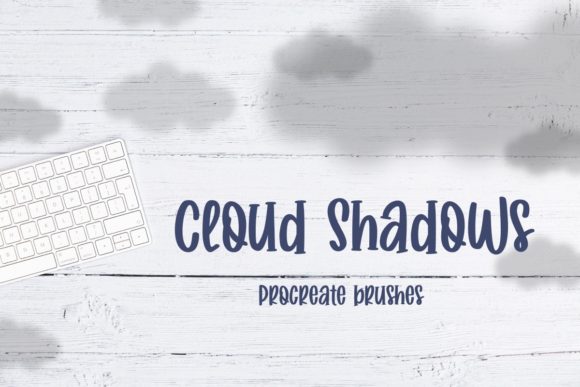
Cloud Shadows Procreate Brushes: Elevating Digital Art with Realistic Lighting
In the evolving landscape of digital illustration, the difference between a flat image and a captivating piece of art often lies in the subtle details of light and atmosphere. For artists working within the iPad ecosystem, achieving naturalistic lighting effects can sometimes feel like an uphill battle against the sterility of digital pixels. This is where specialized tools become indispensable. The Cloud Shadows Procreate Brushes offer a streamlined solution for creators looking to inject depth, mood, and realism into their work without spending hours manually painting complex gradients.
This article explores the functionality, application, and value of these brushes, providing a comprehensive guide for general consumers, professional illustrators, and business owners who rely on high-quality visual content. By understanding how to effectively integrate cloud shadows into your workflow, you can transform ordinary compositions into dynamic scenes that resonate with viewers.
The Essence of Atmospheric Depth
Lighting is not merely about brightness; it is about narrative. A harsh, direct light tells a different story than soft, dappled sunlight filtering through cumulus clouds. In traditional media, capturing the transient nature of cloud shadows requires significant skill and patience. In digital art, while layers and blending modes offer flexibility, creating organic, irregular shadow shapes from scratch can be time-consuming and often results in repetitive or artificial patterns.
The primary purpose of the Cloud Shadows Procreate Brushes is to bridge this gap. These tools are designed to mimic the unpredictable, soft-edged forms of real-world cloud cover. By utilizing pre-configured brushstrokes, artists can instantly overlay realistic shadow patterns onto their landscapes, portraits, or product mockups. This capability allows for rapid iteration, enabling creators to test different lighting scenarios quickly until they find the perfect mood for their piece.
Technical Specifications and Compatibility
Before diving into creative applications, it is essential to understand the technical framework of these tools. The Cloud Shadows Procreate Brushes are distributed as a .brushset file. This format is native to Procreate, the leading raster graphics editor for iOS.
- Software Requirement: You must have the Procreate app installed on your device.
- Operating System: Compatible with iOS and iPadOS devices that support the current version of Procreate.
- Hardware: While an Apple Pencil is recommended for precision, the brushes can also be manipulated using finger gestures for broader, softer effects.
It is important to note that these brushes are not standalone applications. They function entirely within the Procreate environment. Therefore, users must ensure their iPad meets the system requirements for running Procreate smoothly, particularly when working with high-resolution canvases and multiple layers.
Practical Applications Across Industries
The versatility of cloud shadow effects extends beyond traditional landscape painting. Various professionals can leverage these brushes to enhance their visual output. Here are several real-world scenarios where Cloud Shadows Procreate Brushes prove invaluable:
- Landscape and Environment Concept Art: Game designers and film concept artists often need to establish mood quickly. Adding cloud shadows can define the time of day, weather conditions, and emotional tone of a scene without altering the underlying geometry of the environment.
- Product Photography and Mockups: E-commerce business owners frequently use digital mockups to showcase products. Flat, evenly lit images can look sterile. By applying subtle cloud shadows, marketers can create the illusion of natural outdoor lighting, making products appear more appealing and grounded in reality.
- Portrait Illustration: Soft, dappled light on a subject’s face can add complexity and interest. Instead of uniform shading, cloud shadows introduce variation in skin tones and highlights, creating a more lifelike and engaging portrait.
- Social Media Content Creation: Influencers and content creators often design backgrounds for text overlays or quotes. A background with realistic lighting textures feels more premium and less generic than solid colors or simple gradients.
Enhancing Realism Through Layer Management
To achieve the best results with Cloud Shadows Procreate Brushes, understanding layer properties is crucial. Simply stamping a shadow onto a canvas rarely yields a convincing result. The magic happens in the adjustment of blending modes and opacity.
When you apply a cloud shadow brush, it is typically best to place it on a new layer above your base artwork. From there, experiment with blending modes such as Multiply, Overlay, or Soft Light. Each mode interacts differently with the colors beneath it:
- Multiply: Darkens the underlying colors, ideal for deep, dramatic shadows.
- Overlay: Increases contrast, preserving highlights and shadows of the base layer while adding texture.
- Soft Light: Provides a gentle, subtle effect, perfect for hazy or overcast days.
Adjusting the opacity of the layer allows you to fine-tune the intensity of the shadow. A lower opacity suggests a thin veil of clouds, while higher opacity indicates dense, heavy cloud cover. This level of control ensures that the shadows feel integrated into the scene rather than pasted on top.
Evaluating Suitability for Your Workflow
While the Cloud Shadows Procreate Brushes offer significant advantages, they are not a one-size-fits-all solution. Creators should evaluate whether these tools align with their specific project needs.
Strengths:
- Efficiency: Drastically reduces the time spent painting complex light patterns manually.
- Consistency: Provides a library of varied but cohesive shadow shapes, helping maintain visual consistency across a series of illustrations.
- Accessibility: Lowers the barrier to entry for artists who may struggle with rendering realistic atmospheric effects.
Considerations and Limitations:
- Customization Limits: While you can resize and rotate the brushes, the core shape is predefined. Highly specific lighting scenarios may still require manual touch-ups.
- Resolution Dependency: As with any digital brush, scaling up small brushstrokes too much can result in pixelation or loss of detail. It is advisable to test the brushes at the intended output size.
- Overuse Risk: Relying too heavily on preset brushes can lead to a recognizable "style" that may feel repetitive if not varied with manual techniques.
Tips for Natural Integration
To avoid the "stamped" look, consider the direction of your light source. Cloud shadows should align with the existing lighting in your composition. If your sun is setting in the west, your shadows should stretch eastward. Additionally, vary the density of the shadows. Real cloud cover is rarely uniform; some areas are darker, while others allow more light to pass through. Using the pressure sensitivity of the Apple Pencil, you can vary the opacity within a single stroke, creating a more organic transition.
Another effective technique is to use a eraser brush with a soft edge to remove parts of the shadow. This breaks up the shape and allows underlying details to peek through, enhancing the illusion of depth and transparency.
Conclusion: Investing in Visual Quality
In a digital world saturated with content, quality and authenticity stand out. The Cloud Shadows Procreate Brushes provide a practical, efficient way to elevate the visual fidelity of your designs. Whether you are a seasoned professional refining your workflow or a beginner seeking to understand the nuances of light, these tools offer a valuable addition to your digital arsenal.
By integrating these brushes thoughtfully—respecting light direction, layer blending, and compositional balance—you can create images that not only look beautiful but also feel real. For business owners and creators alike, this attention to detail can significantly enhance brand perception and audience engagement. As you continue to explore the capabilities of Procreate, remember that tools like these are most powerful when used to support your unique creative vision, not replace it. Embrace the interplay of light and shadow, and let your digital creations breathe with life.
For those interested in expanding their library further, consider exploring complementary resources such as texture packs or lighting reference guides. Combining multiple tools can lead to even more sophisticated and compelling results. Ultimately, the goal is to serve the story you are telling through your art, and realistic lighting is one of the most potent storytelling devices available to the modern digital artist.