Erode Texture Pack: High-Res Distress for Designers
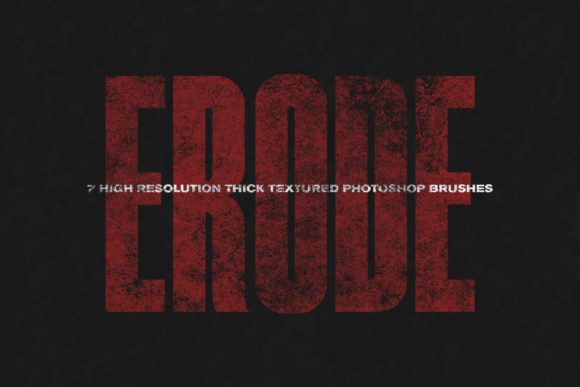
In the world of digital design, perfection is often the enemy of authenticity. We spend hours smoothing out edges, balancing colors, and ensuring every pixel sits exactly where it should. Yet, there is a growing demand for work that feels lived-in, tangible, and raw. This is where the Erode Texture Pack steps in, offering a curated collection of seven high-resolution textures designed to inject immediate character into your projects. These are not subtle overlays; they are heavy-duty tools created to deliver strong distress and visual weight to your work.
For professionals ranging from graphic designers and marketers to hobbyists and educators, understanding how to effectively apply grit and grain can elevate a flat composition into something that demands attention. The Erode Texture Pack provides a straightforward yet powerful solution for achieving this aesthetic without the hassle of sourcing individual assets from disparate locations.
The Power of Imperfection in Modern Design
Why do we gravitate toward distressed visuals? In an era dominated by sleek, minimalist interfaces and polished corporate branding, texture offers a sensory break. It mimics the physical world. Paper tears, concrete cracks, and worn metal surfaces tell a story of use and time. When you integrate these elements into digital media, you bridge the gap between the screen and reality.
The Erode Texture Pack is built on this principle. Each of the seven included brushes is engineered to be "heavy duty." This means they are not intended for faint, background whispers. Instead, they are bold statements. Whether you are designing a poster for a music festival, creating packaging for an artisanal coffee brand, or developing social media content that needs to stop the scroll, these textures provide the necessary visual friction.
Technical Specifications and Usability
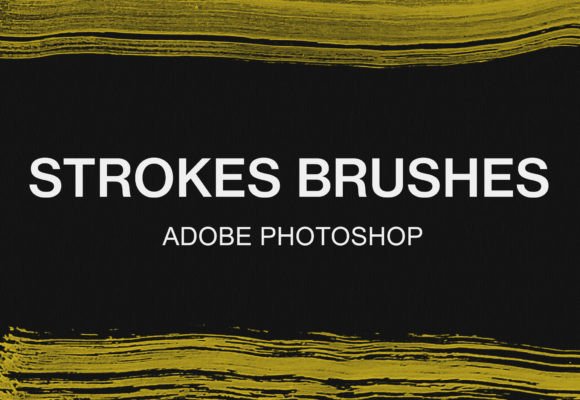
One of the standout features of this pack is its simplicity and compatibility. The entire collection is delivered as a single ABR brush file, making it instantly accessible for Adobe Photoshop users. There is no need to manage multiple folders or convert various image formats. You load the file, select your brush, and start painting.
- Seven High-Resolution Brushes: Each brush offers a unique pattern of erosion, ensuring variety in your workflow.
- Single Color Application: The brushes are monochromatic, giving you full control over color integration. You can easily adjust hue, saturation, and blending modes to match your specific project palette.
- High Resolution: These are not low-res web scraps. They are pulled from various high-quality sources, ensuring that even when scaled up for large-format prints, the details remain crisp and defined.
This technical setup prioritizes efficiency. For freelancers and agency professionals working under tight deadlines, the ability to drag, drop, and apply a high-quality texture in seconds is invaluable. It removes the bottleneck of manual texture creation or extensive photo manipulation.
Practical Applications Across Industries
The versatility of the Erode Texture Pack extends far beyond traditional graphic design. Its utility spans various sectors where visual communication plays a critical role.
Branding and Marketing
For entrepreneurs and marketers, differentiation is key. A clean, corporate logo might convey trust, but a distressed variant can convey heritage, ruggedness, or rebellion. Consider a startup selling outdoor gear. Using the Erode Texture Pack on their promotional materials can subtly reinforce the durability and adventurous spirit of their products. The heavy distress signals that the brand is not afraid of dirt, wear, or tear.
In digital marketing, ads that look too polished are often ignored as "banner blindness" sets in. Content that appears slightly raw or handmade can feel more authentic and less like a sales pitch. Applying these textures to background elements in social media posts can increase engagement by making the content feel more organic and less manufactured.
Creative Arts and Publishing
Bloggers, publishers, and book cover designers frequently seek ways to make their digital or print layouts stand out. A memoir or a historical novel cover benefits immensely from the aged look provided by high-res erosion brushes. Similarly, editorial layouts in magazines or online publications can use these textures to separate sections, create drop caps, or add depth to photography overlays.
For educators and creators producing instructional materials, texture can help highlight important information. A "stamp" effect created with one of the erode brushes can draw the eye to a key takeaway or a warning label in a presentation deck, adding a layer of visual hierarchy that plain text lacks.
Web and UI Design
While web design often leans toward minimalism, there is a niche for brutalist and neo-retro aesthetics. Web designers can use the Erode Texture Pack to create unique button states, header backgrounds, or divider lines. The key here is moderation. Using the brushes at lower opacities or with specific blending modes like "Multiply" or "Overlay" can add subtle depth to a user interface without compromising readability or accessibility.
Maximizing Value with the Erode Texture Pack
To get the most out of these seven brushes, it is essential to understand how they interact with other design elements. Because they are single-color and high-resolution, they serve as a flexible foundation rather than a rigid constraint.
Experiment with Blending Modes: Do not limit yourself to the "Normal" mode. Try "Screen" to lighten areas, "Overlay" to enhance contrast, or "Soft Light" for a more integrated look. Each mode will yield a different level of distress, allowing you to fine-tune the intensity.
Layering for Complexity: Since there are seven distinct brushes, you can layer them. Start with a broad erosion pattern for the base, then add a finer, more detailed brush on top to create depth. This technique mimics the natural complexity of real-world wear and tear.
Color Customization: The single-color nature of the ABR file is a strength. It allows you to match the texture to your brand guidelines precisely. If your brand uses a specific shade of navy blue, you can apply the texture in that exact hex code, ensuring consistency across all marketing materials.
Considerations for Implementation
While the Erode Texture Pack is a powerful tool, it requires a discerning eye. Overusing distress can make a design look cluttered or amateurish. It is crucial to balance the heavy-duty nature of these brushes with ample white space and clean typography. The texture should support the message, not overwhelm it.
Additionally, consider the medium. For digital screens, ensure that the resolution is optimized to prevent slow loading times if used as large background images. For print, the high-resolution source files ensure that the details will reproduce accurately, maintaining the integrity of the distress effect.
Ultimately, the Erode Texture Pack is about adding soul to your digital work. It provides the tools to break the monotony of perfection and introduce the beautiful chaos of reality. Whether you are a seasoned designer looking to streamline your workflow or a hobbyist eager to add professional-grade effects to your personal projects, these seven brushes offer a reliable, high-impact solution for creating visually compelling, textured designs.