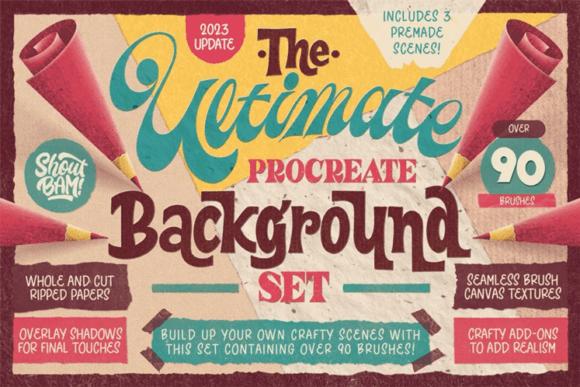
The Ultimate Procreate Background Set
There is a distinct, tactile satisfaction in traditional crafting that digital art often struggles to replicate. The weight of textured paper, the irregular edge of a torn page, and the subtle grain of ink on fiber create a sense of depth and authenticity that flat digital layers frequently lack. For many illustrators, lettering artists, and graphic designers, bridging this gap between the physical and the digital is a constant pursuit. The Ultimate Procreate Background Set addresses this specific creative need by offering a comprehensive library of digitally scanned materials designed to infuse your iPad creations with the warmth and imperfection of analog craft.
This collection is not merely a bundle of generic textures; it is a curated toolkit for building complex, layered scenes. By integrating over 87 specialized brushes, ripped paper elements, and crafty add-ons, it allows creators to bypass the time-consuming process of sourcing and scanning physical materials. Instead, you gain immediate access to high-fidelity assets that behave realistically within the Procreate environment, enabling a workflow that feels both modern and nostalgically handmade.
Restoring the Tactile Feel to Digital Workflows
The primary value of this set lies in its ability to mimic the organic randomness of real-world materials. When you work digitally, every stroke can feel too perfect, too uniform. This uniformity can make illustrations appear sterile or mass-produced. The Ultimate Procreate Background Set counteracts this by providing assets that have been professionally sourced, scanned, and retouched from hundreds of physical materials found in design studios and archives.
Consider the process of creating a hand-lettered quote for a social media campaign. Without texture, the letters sit flatly against a solid color background. By using the seamless canvas brushes included in this set, you can introduce a subtle paper grain that interacts with your lettering. The brushes are designed to fit any painting style, allowing you to adjust the intensity of the texture to suit your composition. This attention to detail helps ground your digital artwork, making it feel as though it was created on a physical surface, which often leads to higher engagement from audiences who appreciate artisanal aesthetics.
Efficiency Through Curated Assets
Time is a critical resource for freelancers, small business owners, and content creators. Sourcing high-quality textures individually can take hours. You might spend an afternoon visiting stationery stores, scanning papers, cleaning up dust spots in Photoshop, and adjusting levels for consistency. This set consolidates that effort into a single download. With 36 ripped papers and 21 crafty add-ons such as ink textures and pencil scraps, you have a versatile library at your fingertips.
For example, a marketer designing a promotional graphic for a local coffee shop can quickly layer a ripped paper texture to create a vintage flyer look. Instead of searching for stock images that may require expensive licenses or lack the right aesthetic, they can use the included stamps to build the scene directly in Procreate. The ability to resize these textures to any surface size and recolor them without losing quality means one asset can serve multiple projects. This flexibility significantly reduces production time, allowing creators to focus more on concept and execution rather than asset hunting.
Versatility Across Creative Disciplines
While the set is marketed towards crafty scenes, its utility extends across various creative disciplines. Educators creating digital worksheets can use the pencil scraps and ink textures to make learning materials feel more approachable and less corporate. Bloggers and publishers can enhance article headers with unique, textured backgrounds that stand out in a feed dominated by clean, minimalist designs. Even hobbyists who enjoy digital journaling will find the ripped paper elements invaluable for creating realistic collage effects.
The inclusion of seamless canvas brushes is particularly beneficial for pattern designers and surface pattern artists. These brushes allow for the creation of repeating textures that can be applied to large formats without visible seams. Whether you are designing fabric prints, wallpaper, or digital backgrounds for websites, the ability to generate continuous texture patterns ensures professional results. The set’s adaptability means it supports both intricate illustration work and broad, atmospheric background creation.
Learning Through Prepared Scenes
One of the most thoughtful additions to The Ultimate Procreate Background Set is the inclusion of three prepared scenes. These are not just final images but ready-to-use Procreate files available in both high and low resolutions, adapted for various iPad models. For users who are new to layering textures or unsure how to blend different elements effectively, these files serve as practical tutorials.
By deconstructing these prepared scenes, you can observe how the creator combined brushes, adjusted opacity, and utilized blending modes to achieve specific looks. This educational component lowers the barrier to entry for complex compositions. It provides a starting point that users can modify, helping them understand best practices for building depth and hierarchy in their own work. This feature is especially useful for entrepreneurs and marketers who may not have formal design training but need to produce high-quality visual content consistently.
Technical Considerations and Fit
While the set offers extensive possibilities, it is important to consider how it fits into your existing workflow. The brushes and textures are optimized for Procreate, meaning they leverage the app’s specific engine for realistic rendering. If you primarily work in other software like Adobe Fresco or Photoshop, you may need to export assets as PNGs or JPEGs, which could limit some of the interactive brush functionalities. However, the static elements like ripped papers and ink splatters remain highly usable across platforms.
Additionally, the sheer volume of over 87 brushes and numerous add-ons requires organization. Users should anticipate spending some initial time categorizing these tools within their Procreate brush library to ensure quick access during projects. Creating custom sets for specific tasks—such as "Lettering Textures" or "Background Grains"—can prevent clutter and maintain workflow efficiency. The high resolution of the assets ensures they look crisp on larger screens, but users with older iPad models should utilize the provided low-res files to maintain optimal performance and prevent lag during intensive drawing sessions.
Enhancing Visual Communication
In a digital landscape saturated with polished, vector-based graphics, imperfect textures offer a way to communicate authenticity and warmth. Brands and creators who wish to convey a sense of handmade care, nostalgia, or artistic integrity can leverage these tools to differentiate their visual identity. The The Ultimate Procreate Background Set provides the necessary components to achieve this aesthetic without requiring advanced technical skills in photo manipulation.
Ultimately, this toolset is about empowering creativity by removing friction. It allows you to focus on the story you are telling through your art, rather than the mechanics of creating the medium. Whether you are illustrating a children’s book, designing a wedding invitation, or crafting social media content, the ability to instantly apply realistic paper grains, ink bleeds, and torn edges adds a layer of sophistication and emotional resonance to your work. By integrating these tangible elements into your digital practice, you bridge the gap between the screen and the senses, creating visuals that feel not just seen, but felt.